Local-First: Why Your Files Matter More Than You Think
A Question Worth Asking
Where are your files right now?
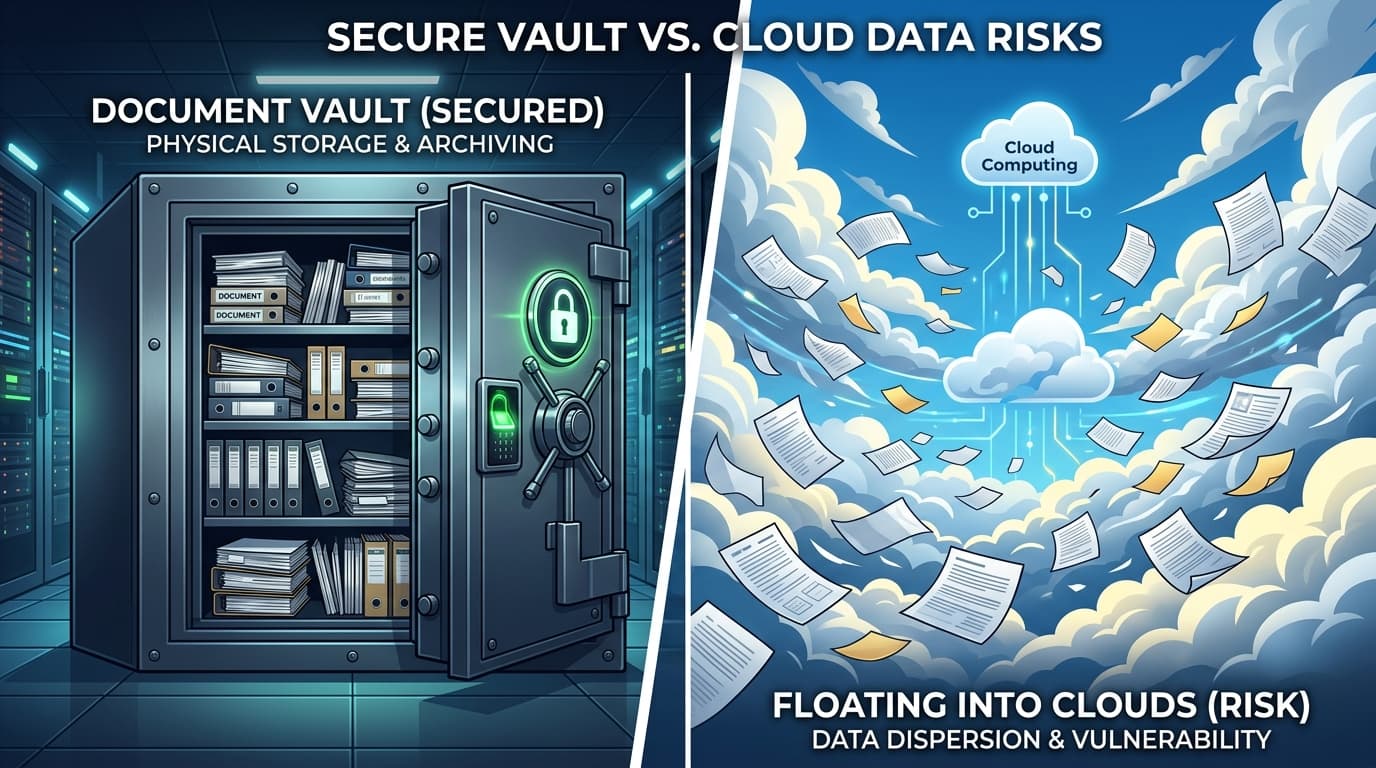
If you use Google Docs, they are on Google's servers. If you use Microsoft 365, they live in OneDrive. If you use Notion, they are in Notion's cloud. In every case, your work — your documents, your spreadsheets, your presentations, your notes — exists on someone else's computer, governed by someone else's terms of service, accessible only as long as someone else's servers stay online.
For most people, this arrangement works fine. Until it does not.
The Cloud Dependency Problem
Cloud-based software has genuine advantages. It is convenient. It enables collaboration. It handles backups automatically. We are not here to pretend otherwise.
But cloud dependency comes with risks that most people do not think about until they experience them firsthand:
What happens when the service goes down? In December 2024, Google Workspace experienced a multi-hour outage that locked millions of users out of their documents, spreadsheets, and email. If your work existed only in Google's cloud, you were stuck. You could not open your own files. You could not work.
What happens when the company changes direction? Google has shut down over 290 products and services since 2006. Google Reader. Google Plus. Inbox by Gmail. Google Stadia. If Google decided tomorrow that Docs was not profitable enough, your files would be at the mercy of a migration timeline you did not choose.
What happens when the price goes up? Microsoft Office 365 launched at $69.99 per year in 2013. It is now $99.99 per year. That is a 43% increase, and you had no say in it. When your files are locked inside a platform, you pay whatever they charge — or you lose access to your own work.
What happens when the terms change? Cloud providers can update their terms of service at any time. Many already use your data for analytics, AI training, or advertising insights. You agreed to it. It was in the terms you did not read.
These are not hypothetical problems. They are things that have happened and will happen again.
What Local-First Actually Means
Local-first software stores your files on your machine — your hard drive, your SSD, your computer. The application runs locally. Your data stays local. The internet is optional, not required.
With Steward Pro Office, every document you create is saved as a standard file on your computer:
- ProWrite documents export to DOCX and PDF
- Gridworks spreadsheets export to XLSX
- ProSlides presentations export to PPTX
- Notes and ProPDF documents are stored in standard local formats
These are not proprietary cloud formats. They are files you can open with other applications, copy to a USB drive, email to a colleague, or back up to any storage system you choose. They belong to you in every meaningful sense of the word.
Privacy Without Compromise
Here is what Steward Pro Office does not do:
- No telemetry. We do not track which features you use, how often you open the app, or what you are working on.
- No usage analytics. We do not collect behavioral data to optimize engagement or sell to third parties.
- No document scanning. We do not read, index, or analyze the contents of your files. Your business plan, your journal, your financial spreadsheet — we never see any of it.
- No advertising profile. We do not use your data to build a profile for targeted ads. We do not even show ads.
- No account required. You do not need to create a user account, provide an email for ongoing tracking, or connect to a social login. Enter your license key and you are done.
This is not a marketing angle. It is an architectural decision. Because your files live on your machine and the app runs locally, there is nothing for us to collect even if we wanted to. Your data never touches our servers.
Works Offline. Always.
After you activate your license key (which requires a one-time internet connection), Steward Pro Office works completely offline. No Wi-Fi. No ethernet. No mobile hotspot. Just you and your computer.
This matters more than most people realize:
- On a plane without Wi-Fi — open your documents, keep working
- In a rural area with spotty internet — no spinning loading screens, no sync errors
- During an internet outage — your productivity does not depend on your ISP's uptime
- In a secure environment — some workplaces restrict internet access for security; local-first software works within those constraints
Try opening Google Docs without an internet connection. You will see a dinosaur. Open Steward ProWrite without internet, and you will see your document, exactly where you left it.
But What About Sync?
We hear you. Sometimes you want your files on more than one device. Sometimes you need access from your laptop and your desktop. Local-first does not have to mean local-only.
That is why we built Steward Sync — an optional cloud sync service that works on your terms:
- Client-side encryption. Your files are encrypted with AES-256-GCM on your device before they leave your machine. We store encrypted blobs. We cannot read your files. No one can, except you.
- Your license key is your encryption key. No separate password to remember. Your SPO license key derives the encryption key via PBKDF2. Only someone with your key can decrypt your files.
- Optional, not required. Sync is a convenience feature. If you never enable it, your apps work exactly the same. Your files stay on your machine and nowhere else.
- Self-hostable. For users who want sync but do not trust any third-party server (including ours), the sync server is open source. Run it on your own VPS, your own NAS, your own hardware. Full control.
This is what privacy-respecting sync looks like. Your files are encrypted before they leave your device. The server stores data it cannot read. You hold the only key.
The Bigger Picture
The shift to cloud-based software happened gradually, and for understandable reasons. But it came with trade-offs that most users never consciously agreed to: loss of data ownership, dependence on internet connectivity, ongoing subscription costs, and erosion of privacy.
Local-first software is not a step backward. It is a course correction. It takes the best of modern software development — clean interfaces, powerful features, cross-platform compatibility — and pairs it with the principle that your data should belong to you.
Not to a company. Not to a cloud. Not to a subscription you cannot cancel without losing your work.
To you.
Take Control of Your Files
Steward Pro Office is built on the conviction that your files matter, your privacy matters, and your money matters. We are not the only ones who believe this — the local-first movement is growing, and more developers are building software that respects your ownership.
We are proud to be part of that movement.
Ready to own your software and your files? Visit mystewardpro.com to learn more and get started.
Your software. Your files. Your price. Forever.
Ready to make software yours?
One-time purchase. No subscriptions. Your software forever.
View Pricing